
NOBUTO birthday project will be held on the metaverse app "FANPLANET"!
NEWS 2026.02.13
The metaverse app "FANPLANET" will be holding a birthday event for five days only, starting on February 14th, NOBUTO 's birthday!🎂
During this period, the set list for NOBUTO birthday will be aired in Artist World!
In addition, images within the area will also be switched to mainly feature NOBUTO.
Let's connect with CREW from all over the country in the metaverse space and celebrate NOBUTO 's birthday!
🎁The images in the artist area have been changed to focus mainly on NOBUTO🎁
The images in the artist area will be switched to mainly NOBUTO.
In addition, there will also be an image with a message from NOBUTO himself that can only be seen here.
Don't miss this rare opportunity to check it out!
🎉NOBUTO 's birthday setlist will be aired for 5 days only🎉
<Playlist during the period>
February 14th: Previous 2025 NOBUTO Birthday Setlist
February 15th evening - February 18th: 2026 NOBUTO Birthday Setlist
*Schedule is subject to change.
*Anyone can participate in the listening party, not just Neo SOUND WAVE Crew members.
*To participate, you must be a paid member of Apple Music or Spotify.
<How to participate in the listening party>
①Download the FANPLANET app and log in
1. Go to ARTIST WORLD
2. Select Apple Music or Spotify from the top of the screen and connect
3. Follow the prompts to return to the FANPLANET app and the song will start playing.
② Enjoy the Metaverse space until the listening party begins.
【Notes】
*The participation of the members themselves is undecided.
*You will need to download the "FANPLANET app."
* Paid subscription to either Apple Music or Spotify required
*As this app contains features that require a lot of data, we recommend using it in a Wi-Fi environment.
*Please refrain from contacting Apple Music or Spotify regarding this project.
▼How to customize your avatar
You can customize your avatar by clicking the "︙" button in the top right corner of the screen > [Edit Avatar] button.
You can also display and select the items you have acquired here.
▼How to use emotes (avatar movements)
You can use it from the [person icon] on the bottom right of the screen.
*If you have not acquired the emote, it will not be displayed.
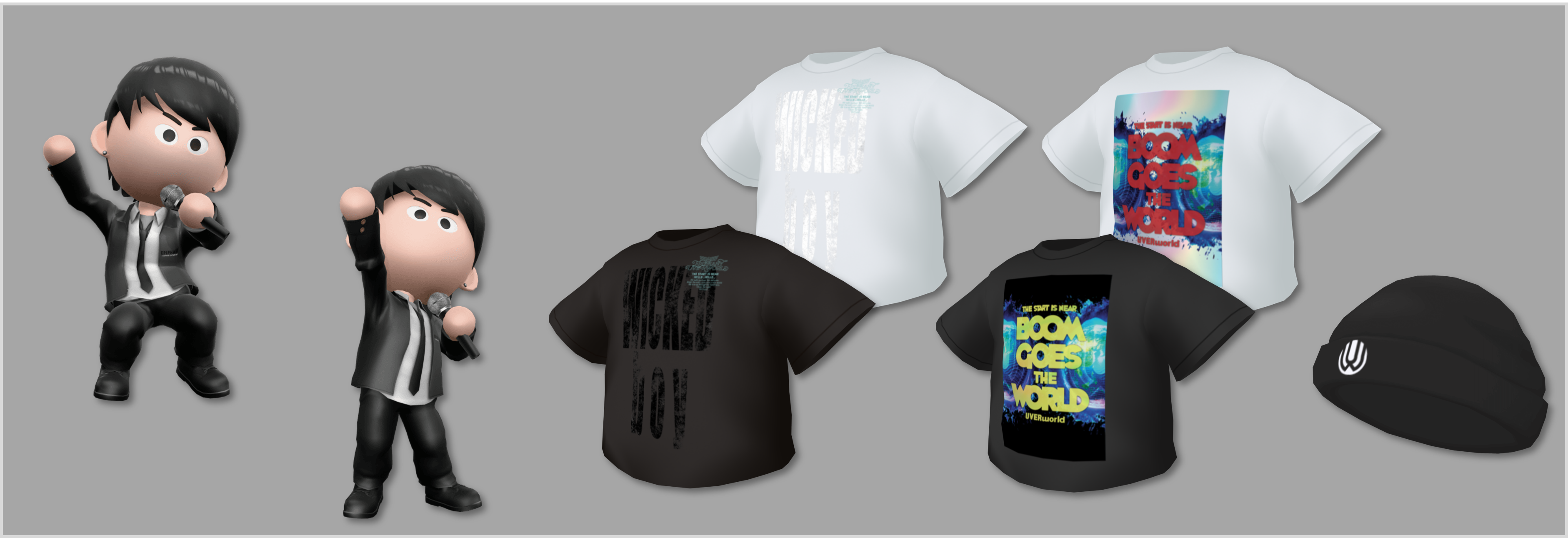
Two emotes are available for free exclusively to Neo SOUND WAVE members! Five original UVERworld items are also on sale!
▼How to obtain items
https://note.com/fanpla/n/nc13797ffee2b
▼ Get UVERworld items here
https://fanplamarket.com/collection/list?artistId=5